


Repair STL online: close open edges, recognize non-manifolds & make watertight
Your STL is openhas Holes or is not watertight? This is one of the most common reasons for slicer errors, incorrect infill or misprints. Here you can choose your model check and, if necessary, repair automatically.
Quick fix (if you only need printability)
- STL upload
- Check analysis (watertight/open)
- Repair click (open edges/close holes)
- Verify "closed/watertight" status
- Optional: calculate price & have printed
Tip: If volume/weight are "weird", the model is often not watertight.
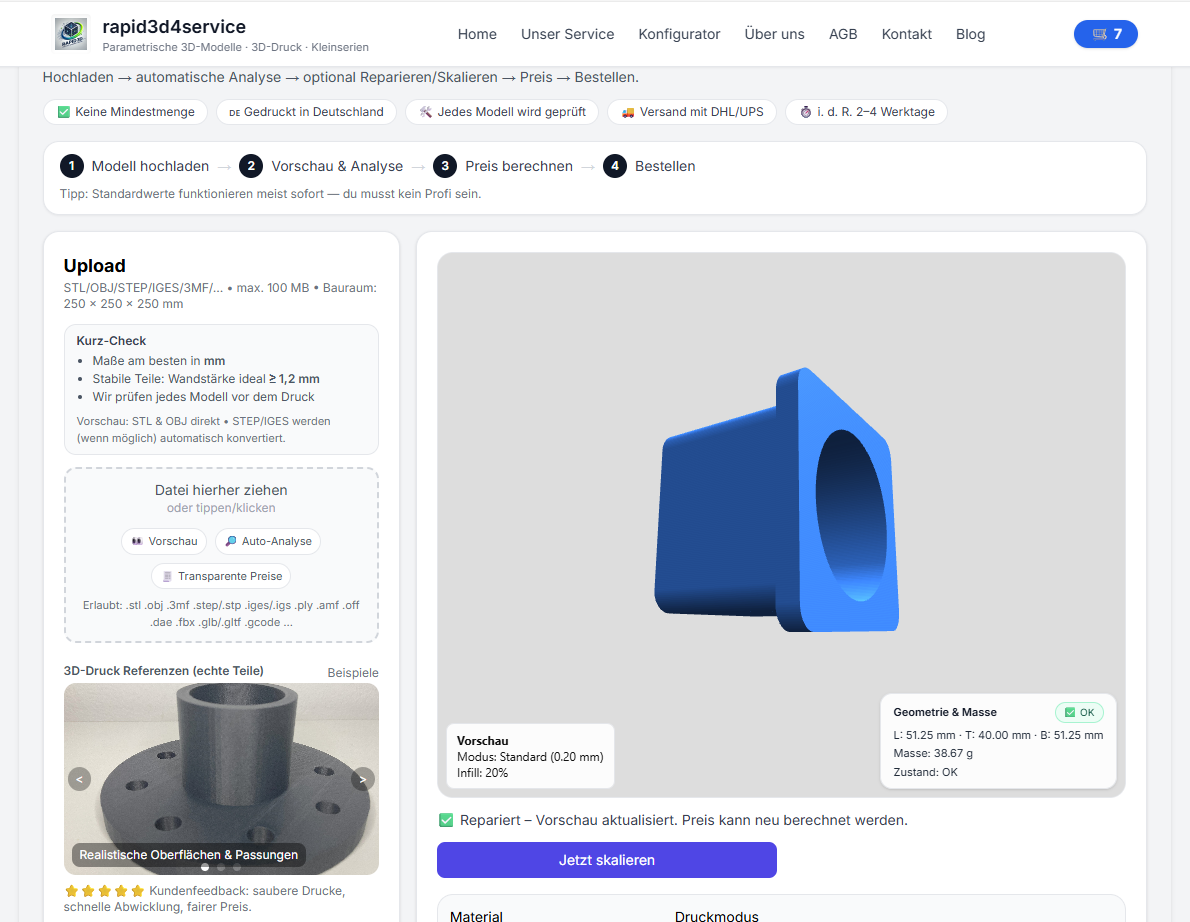
Why open edges & Non-Manifold den 3D printing kaputt machen
A STL is a triangular mesh. So that a slicer can calculate a body from it, the cover must closed be (watertight). With open edges, Holes or Non-Manifold the slicer can misinterpret the interior and walls.
- missing walls or holes in the print
- incorrect infill or hollow areas
- Slicer-error or extrem langsames Slicen
- unplausibles volume (price/costs falsch)
What wed bei der 3D model Analyse geprüft?
| Check | Why wichtig |
|---|---|
| Length / width / height | Does the part fit? Are the dimensions correct? |
| volume | Basis for material and price calculations; reliable only for watertight models. |
| Weight | Helps assess strength and suitability. |
| Watertight / closed | Decisive: printable as a body. |
| open edges / holes | The most common error; gaps can be closed automatically. |
| Non-Manifold | Topology errors - can massively disrupt slicers. |
Common STL problems and what they look like
- open edges: Mesh is not closed → not watertight
- Holes: Openings in surfaces → Interior not defined
- Non-Manifold: Incorrectly connected edges/faces → slicer errors
- Normals wrong: Faces point both inward and outward
- Selbstüberschneiyoungen: Geometry cuts itself
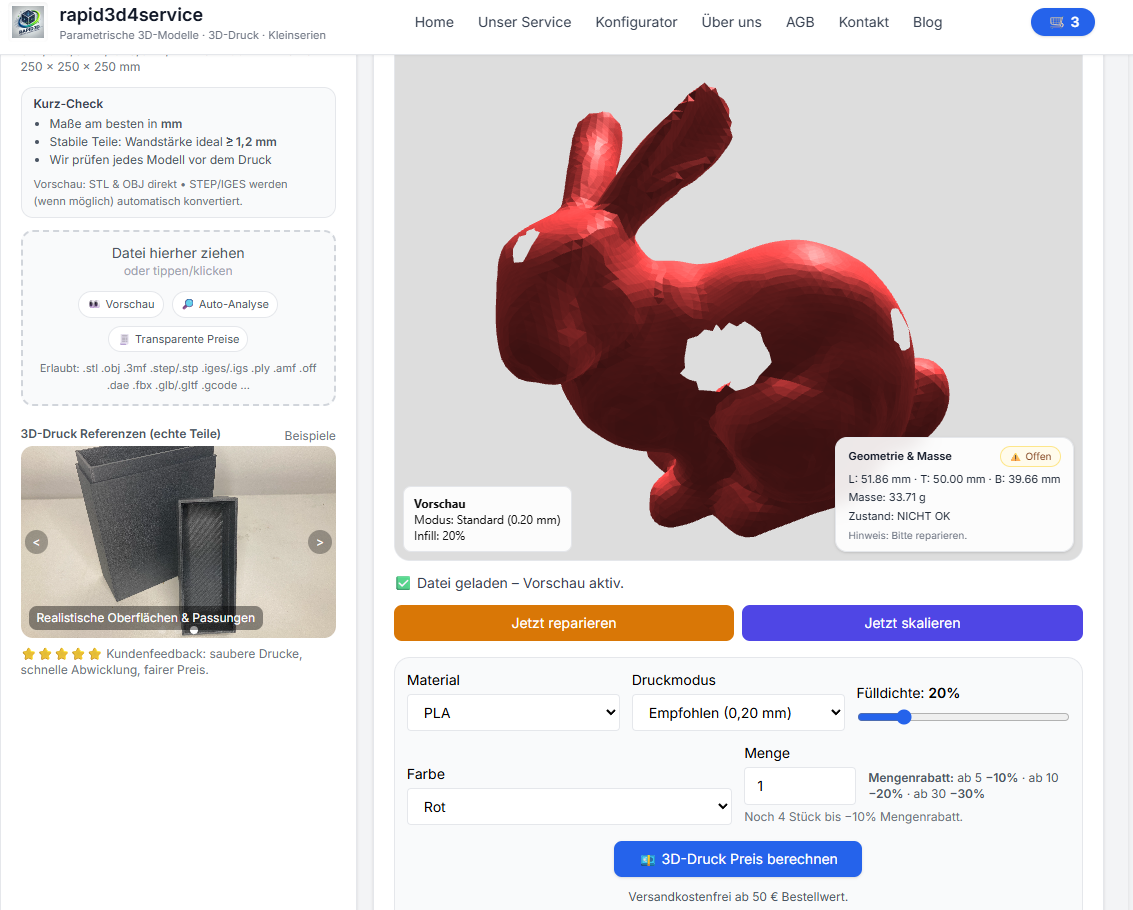
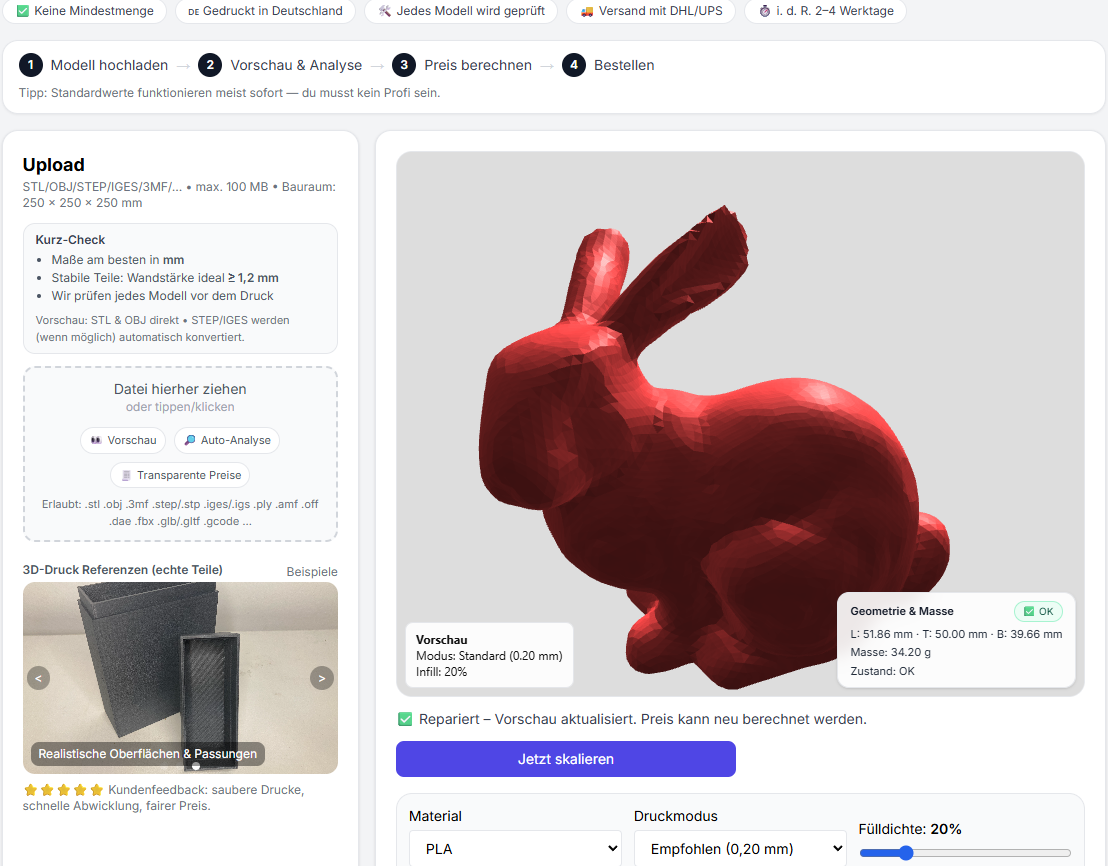
STL Repair step-by-step
- STL upload
- Analysis: dimensions, volume, weight and watertight/open-edge status
- Repair: open edges/close holes, correct surfaces
- Re-Check: check status (closed/watertight)
- Optional: calculate price & have printed
Tips: So vermeidest you offene STL
- Make sure the CAD export represents a closed solid.
- Avoid thin surfaces — give walls real thickness.
- Always check downloaded models and scans before slicing.
- When the slicer warns: first diagnose, then repair.
STL repair now & make printable
Upload your file, check the mesh status and repair it with one click. You can then calculate the price directly or have it printed.
FAQ
What exactly does watertight mean?
Watertight means "waterproof" in the sense that the mesh is completely closed. Only then can the slicer clearly calculate the interior.
Why is volume often wrong with open STL files?
Volume presupposes a closed shell. Open edges/holes make the interior ambiguous, which makes volume and therefore material/price calculation unreliable.
What if the repair does not work?
For very damaged files, it often helps to re-export from CAD, simplify or repair parts. If you want: send the file briefly - then we'll tell you what makes sense.